
Podcast Navigation
Once you haev created a Podcast / Export you will find it int eh Podcast section.
Here you can open a podcast up and view the details or delete it if needed
To View a Podcast select the edit button on the menu bar and a new window will open
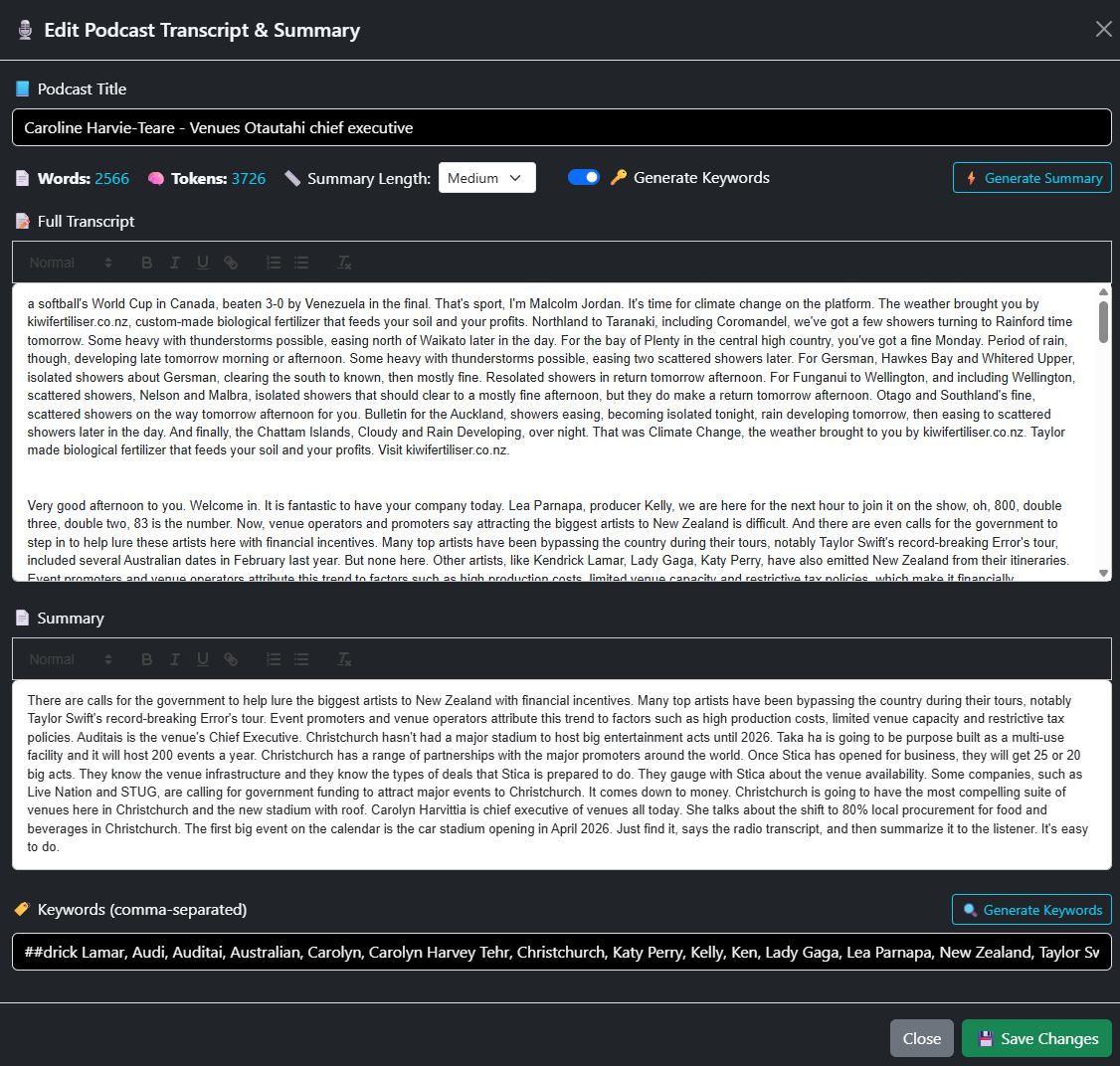
From ehre you will see more information
- Word Count
- Number of words in teh transcription
- Tokens
- This is the units of text that AI has processed
- Summary Length
- Can me Small MEdium or Large
- Generate Keywords toggle
- Either on or off
- Generate Summary
- This will generate summary if you have not done so during Podcase / Esport creation
- Full Transcript
- The full text Transcript
- Summary
- Summary Generated
- This can be edited in the WYSIWYG editor
- Summary Generated
- Keywords
- Pulled from the Text
- Generate Keywords
- If it has not done so automatically or if you have edited the tett you can generate tke keywords