
Setting up a new Podcast
To setup a new Podcast you would navigate to teh Podcast menu
- Select Generate New Podcast
- A new window will appear and allow you to enter information about your podcast / export
- From here you can enter in your information about the Podcast / Export
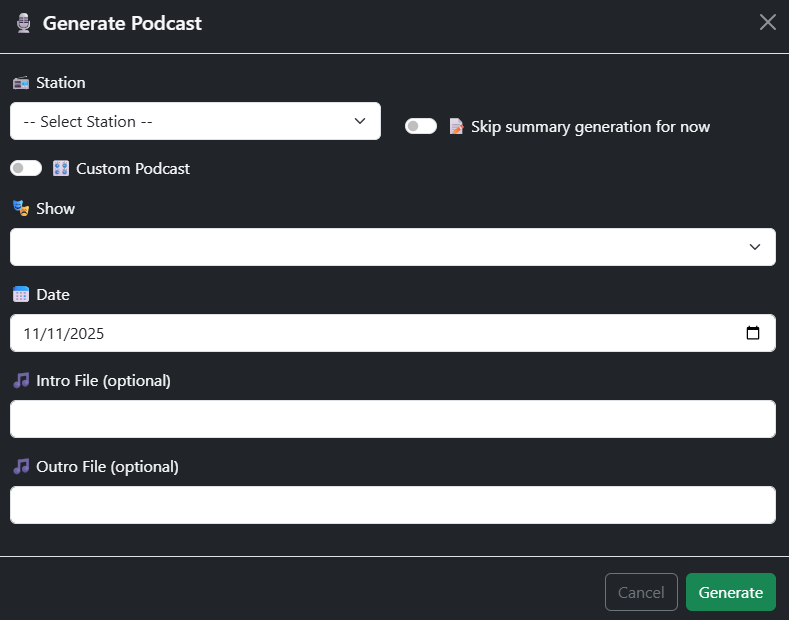
- From the Station Selection dropdown select your station
- The toggle Skip Summay is there if you dont want to generate the summary just yet
- This is only available if you have transcription
- Custom Podcast
- Thi sis if you want ot create an add hock Podcast or Export
- Show
- This enable you to select a show for your station
- Date
- Enter in the date for the Podcast / Export
- Intro
- Outro
- Generate
- Select Gererate once done
When Generating hte Podcast / Export it will stitch together all teh segments that make up the time and display in the Podcast section once completed. If you have transcription and have enabled summary generation this will also be included.