
Using the Search
SearchThe page is madeshown up ofwith two main sections - the search and the results.
SelectionsSearch
Enter bethe madeparameters forthat make up the search. These include:
- the date and
channel,timethereframeisyoualsowishatoquicksearchselectionwithinfor(ordateyouentry.chooseDatefrom/the Quick dropdown) - the Channel

Search
Type in the wordword(s) or phrase you would like to search on
UsingUse quotes for an exactmatchmatch. For example:- "New Zealand"
UsingUse a plus sign to adds words totehthe search if you want to look for any instance (will search for either). For example:- maccas+mcdonalds

Click Search to start the search and see the results.
Results
OnceWill yoube haveshown searchedas for somehting in the date range you will see the resultsbelow.
TheConf is the level of confidencewe havthat the searchreturnedengine has found the correct word.- Dur is the duration of the segment (normally 120 seconds)
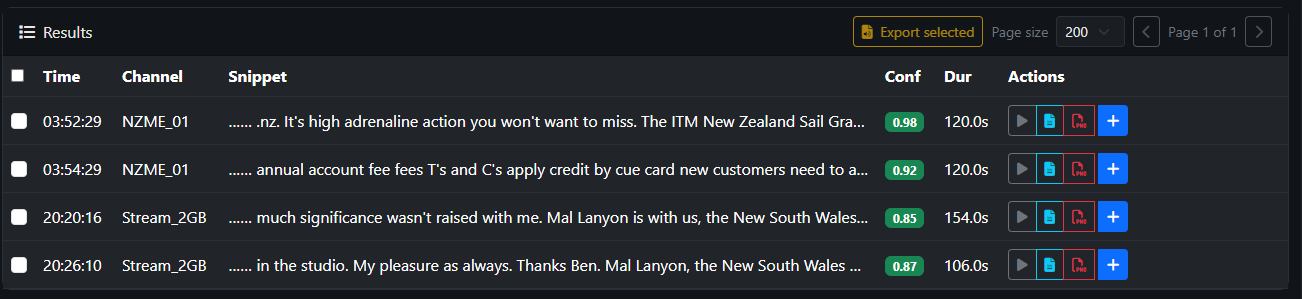
Actions show what you can do for each instance.