
Using the Search
The page is shown with two main sections - the search and the results.
Search
Enter the parameters that make up the search. These include:
- the date and time frame you wish to search within (or you choose from the Quick dropdown)
- the Channel

Type in the word(s) or phrase you would like to search on
- Use quotes for an exact match. For example:
- "New Zealand"
- Use a plus sign to adds words to the search if you want to look for any instance (will search for either). For example:
- maccas+mcdonalds
Note that searches are not case-sensitive.

Click Search to start the search and see the results.
Results
Will be shown as below.
- Conf is the level of confidence that the search engine has found the correct word.
- Dur is the duration of the segment (normally 120 seconds)
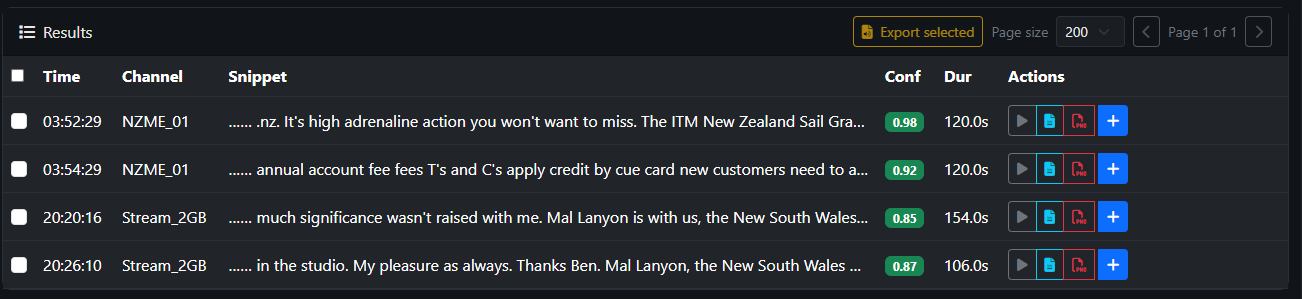
Actions show what you can do for each instance.